GitLab•
GitLab Runner artifacts 413 Request Entity Too Large 에러
Table of Contents
발생 에러 구문
ERROR: Uploading artifacts as "archive" to coordinator... 413 Request Entity Too Large
원인
GitLab의 아티팩트 설정 혹은 웹 서버에서 제한 용량이 걸려있는 문제
각 환경에 맞게 이 용량을 늘려주면 해결.
해결 방법
아래 해결 방법 중 본인의 환경에 맞게 점검할 것.
1. 내장 nginx body size 수정
gitlab.rb파일 수정
...
nginx['client_max_body_size'] = '1G'
...
2. 외부 웹 서버 body size 수정(nginx 기준)
...
http {
    ...
    client_max_body_size 1G;
    ...
}
...
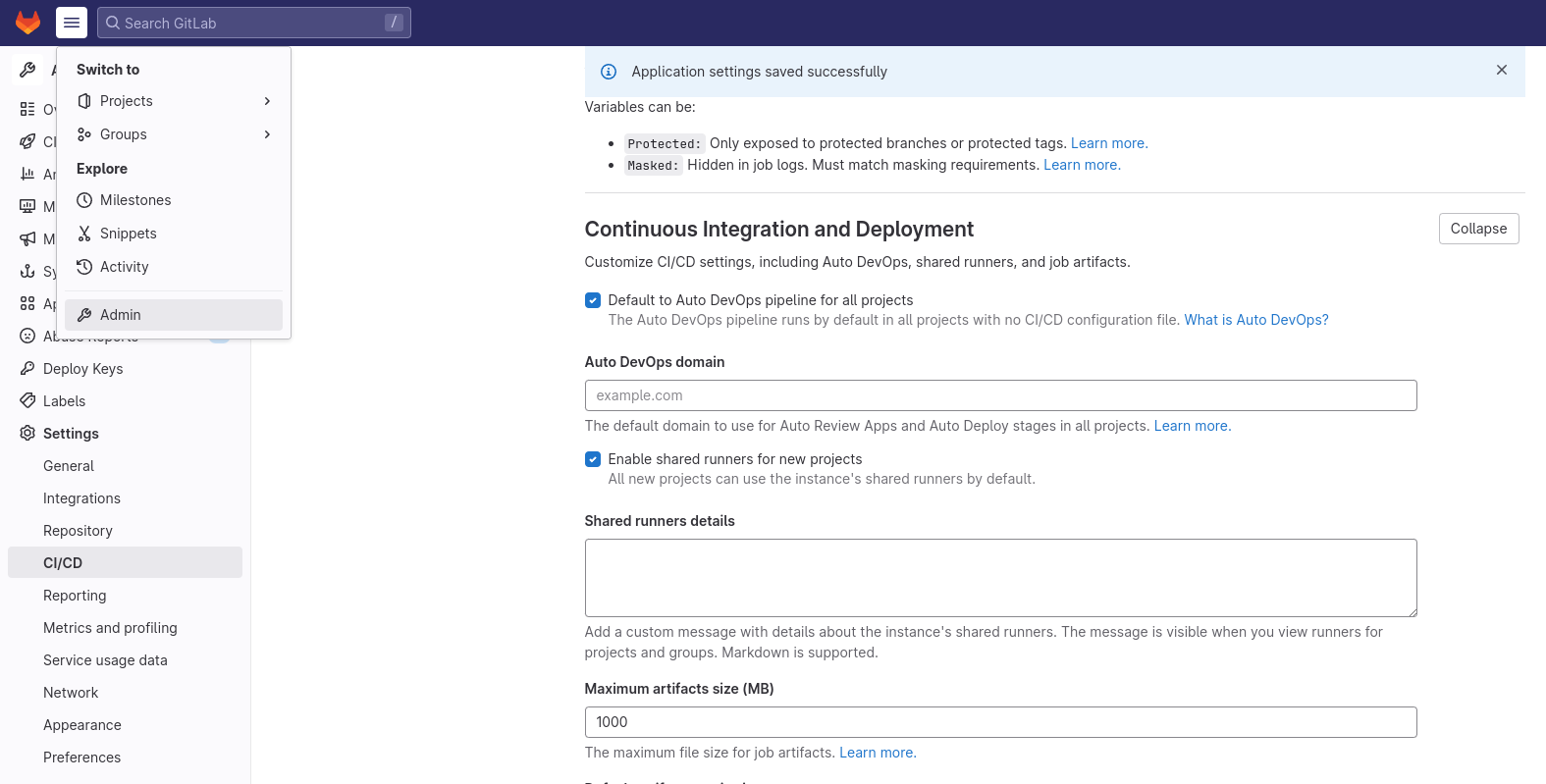
3. GitLab Admin 관리 영역 설정 수정
관리자로 접속 후
Admin -> Settings -> CI/CD -> Continuous Integration and Deployment -> Maximum artifacts size (MB)